Install SonmiAI on WordPress
About 5 minutes. Needs WordPress 6.0+ and PHP 7.4+, and an admin login to your site.
- Create your account. Go to app.sonmiai.com, sign in with Google and add your site's address. The 30-day trial starts automatically, no card needed.
- Download the plugin. On your site's Fixes page in SonmiAI, click Download plugin. You get sonmiai.zip.
- Upload it to WordPress. In WordPress admin go to Plugins → Add New → Upload Plugin, choose sonmiai.zip, click Install Now, then Activate.
- Connect. Open SonmiAI in the WordPress menu and click Connect to SonmiAI (free). Approve the connection on the SonmiAI page that opens. You need to be an owner or admin of the workspace.
- First scan and audit. The plugin sends your pages, products and images to SonmiAI right away and an audit starts. It takes a few minutes; the Overview tab shows your scores when it is done.
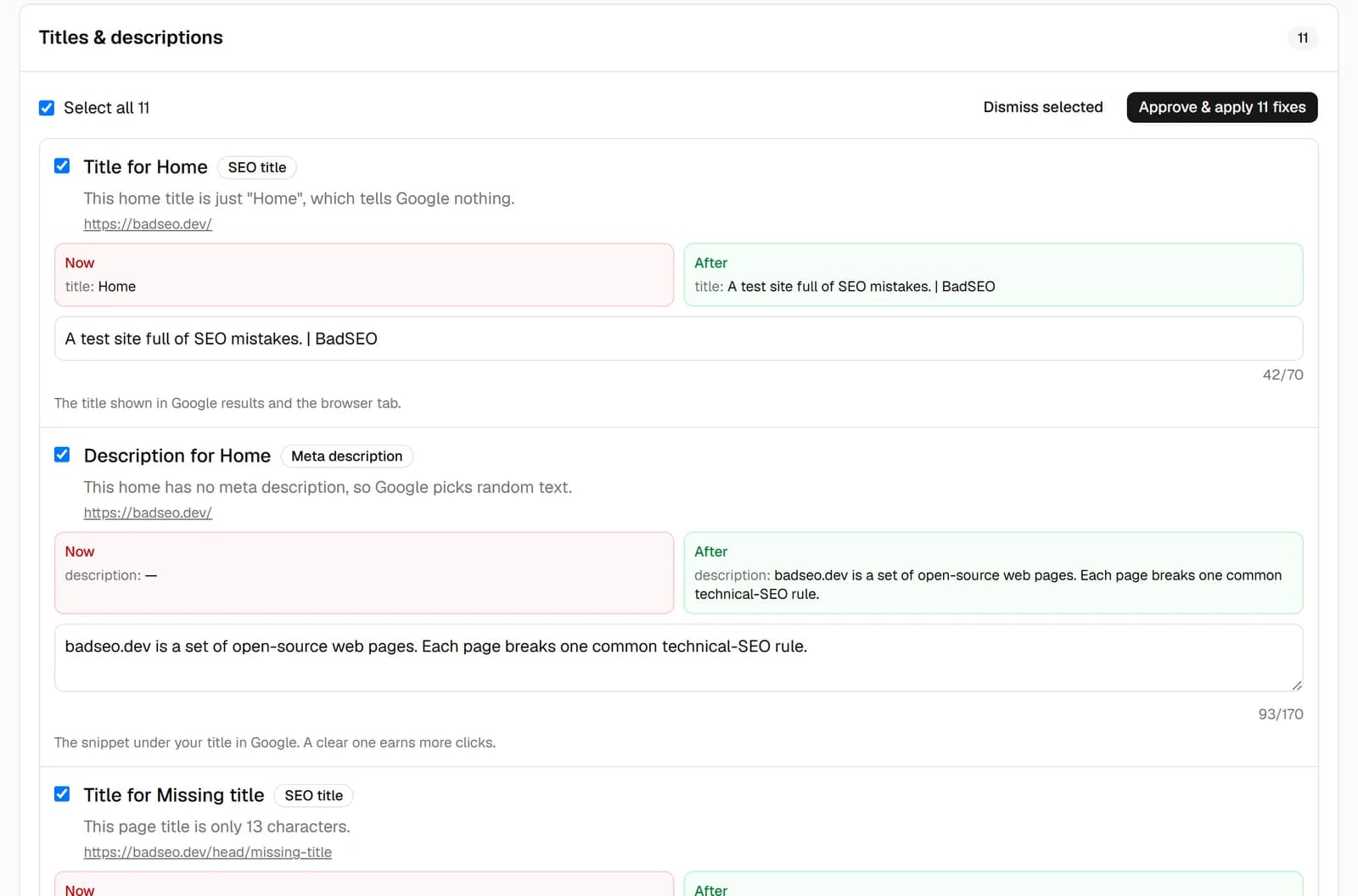
- Approve fixes. Open the Fixes tab (in WordPress or on app.sonmiai.com). Each fix shows the text now and after. Untick what you don't want and approve the rest. Fixes go to a few pages first, then the rest.
- Check the Agents tab. SEO agents list WordPress-specific problems (search visibility, archives, attachment pages, sitemap) with steps for Yoast, Rank Math or no SEO plugin.
Already used AuditPilot?
SonmiAI is the new name of AuditPilot. Deactivate and delete the old AuditPilot plugin first, then install SonmiAI. Your connection and change history are kept. If both are active, SonmiAI shows a notice and waits.
Undo and Safe Mode
Every change keeps the value it replaced: undo it from the Changes tab in WordPress or on app.sonmiai.com. If a page looks wrong, turn on Safe Mode in Tools & safety; it pauses all speed, cache, schema and redirect changes at once without deleting anything.
Common problems
- "Timestamp outside allowed window": your server clock is wrong. Ask your host to sync it (NTP).
- Changes don't show on the site: clear your cache plugin or host cache (LiteSpeed, WP Rocket and others are cleared automatically after each batch).
- Connect button does nothing: a security plugin may block outgoing requests to app.sonmiai.com; allow it.
Still stuck? Contact us with your site address.